Work
/
Bnkle case study
Rethinking Construction Updates for Remote Clients
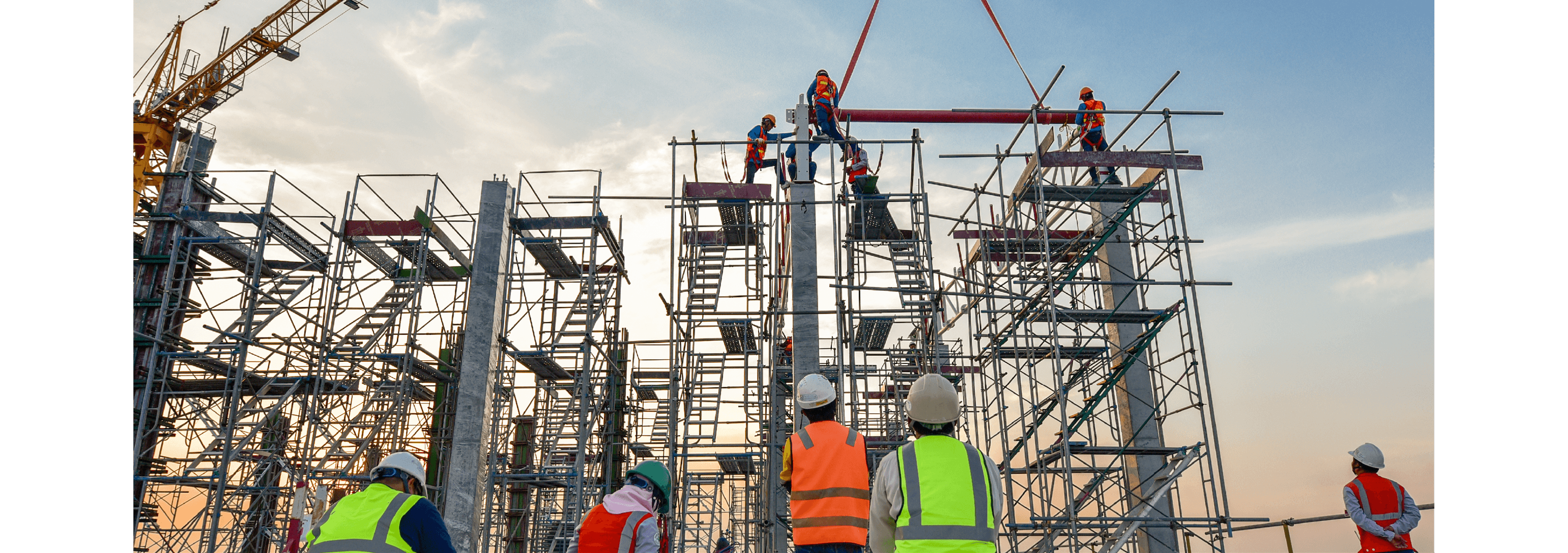
A Distant Challenge
Introduction
For many individuals, monitoring construction projects is a venture that is often viewed as painstaking due to the level of involvement required and poor communication channels. This case study explores the journey of designing a construction management tool that empowers construction project owners with real-time project insights, bridging the gap between them and Project managers on the ground.

Anywhere
In progress
4days
Dashboard, Bnkle logo, landing page, splash screen
The Problem
Lost in Translation,
Lost in Trust
Managing a construction project can come off as a herculean task, it tends to demand a huge chunk of time and attention and is most times accompanied by frustration, miscommunication, and uncertainty. This is particularly true when you are miles away from the project , it becomes a lot harder to keep up with the progress of the projects as you are left to rely on sporadic images from project managers/contractors or just the bare minimum in terms of information.
This poor means of information exchange lacks structure, transparency, and reliability, making it difficult to track real progress and could breed distrust between the parties involved which could result to mismanagement of resources, project timeline delay and in extreme cases complete project abandonment.

How difficult construction projects might feel
The Solution
Bringing Clarity to Construction Chaos
Our goal was simple but ambitious: create an intuitive construction management platform that allows project owners to track their builds remotely, while providing contractors with the detailed planning tools they need. Both parties should always know exactly what’s happening at every stage of construction—without the usual headaches.
Bnkle is designed to bridge the communication gap between project owners and contractors, ensuring seamless collaboration, real-time transparency, and a frustration-free construction process.
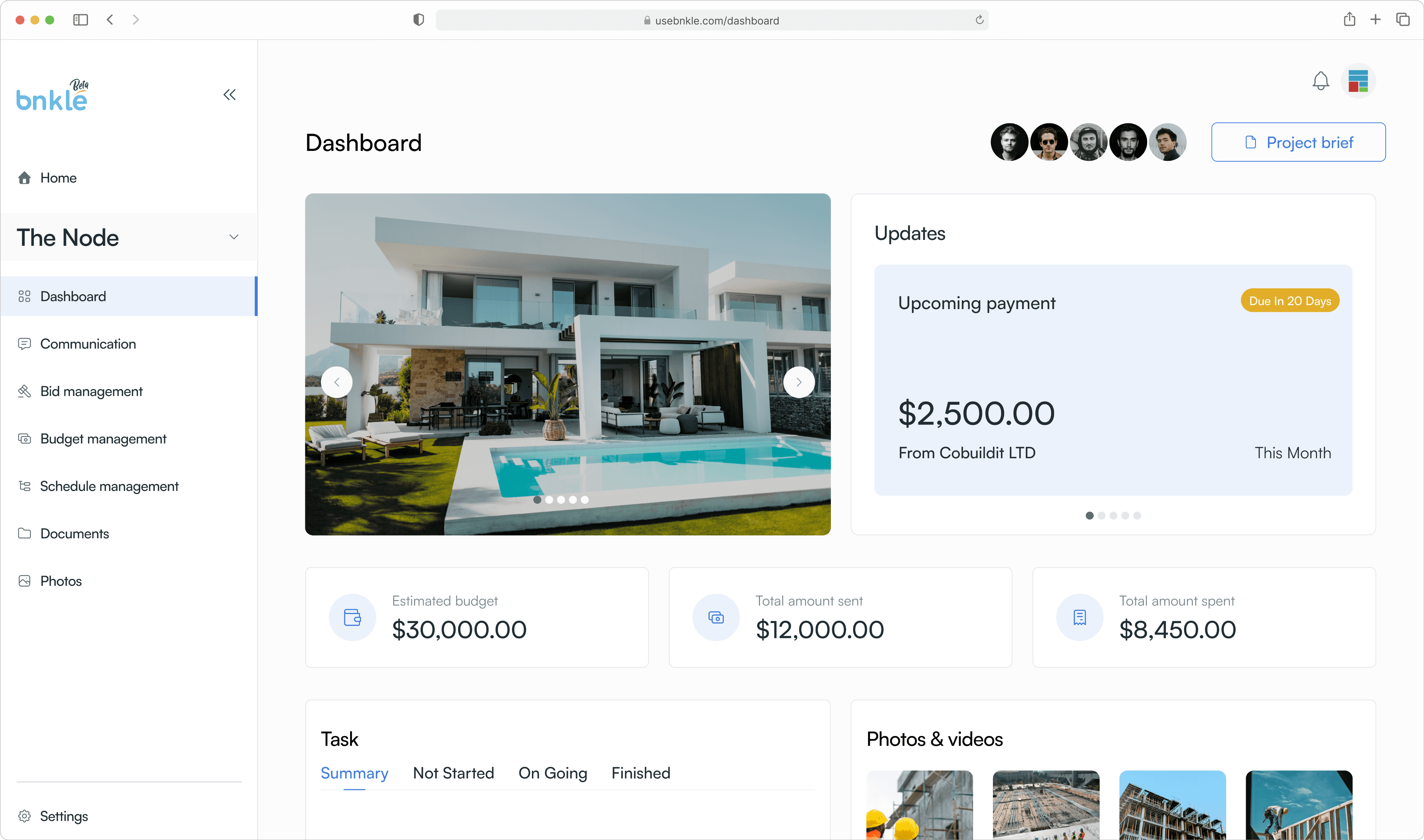
Project dashboard
Role, Timeline & Tools
Designing for
Transparency and Trust
UI/UX, Prototyping, testing
Designing a seamless user interface from low-fidelity wireframes to high-fidelity mockups
Prototyping and testing the platform with users
Collaborating with field experts (contractors and project managers) to ensure accuracy and usability
The Team
Nwanekezie Kamsi - Product designer
Uwede Maero - Product designer
Olaifa Timothy - Frontend engineer
Allen christian - Backend engineer
Tools
Figma, Trello
The Design Process
Charting the Course
To kickoff the design process we started with the first logical step, getting to know those who we were designing for:
Understanding the Users
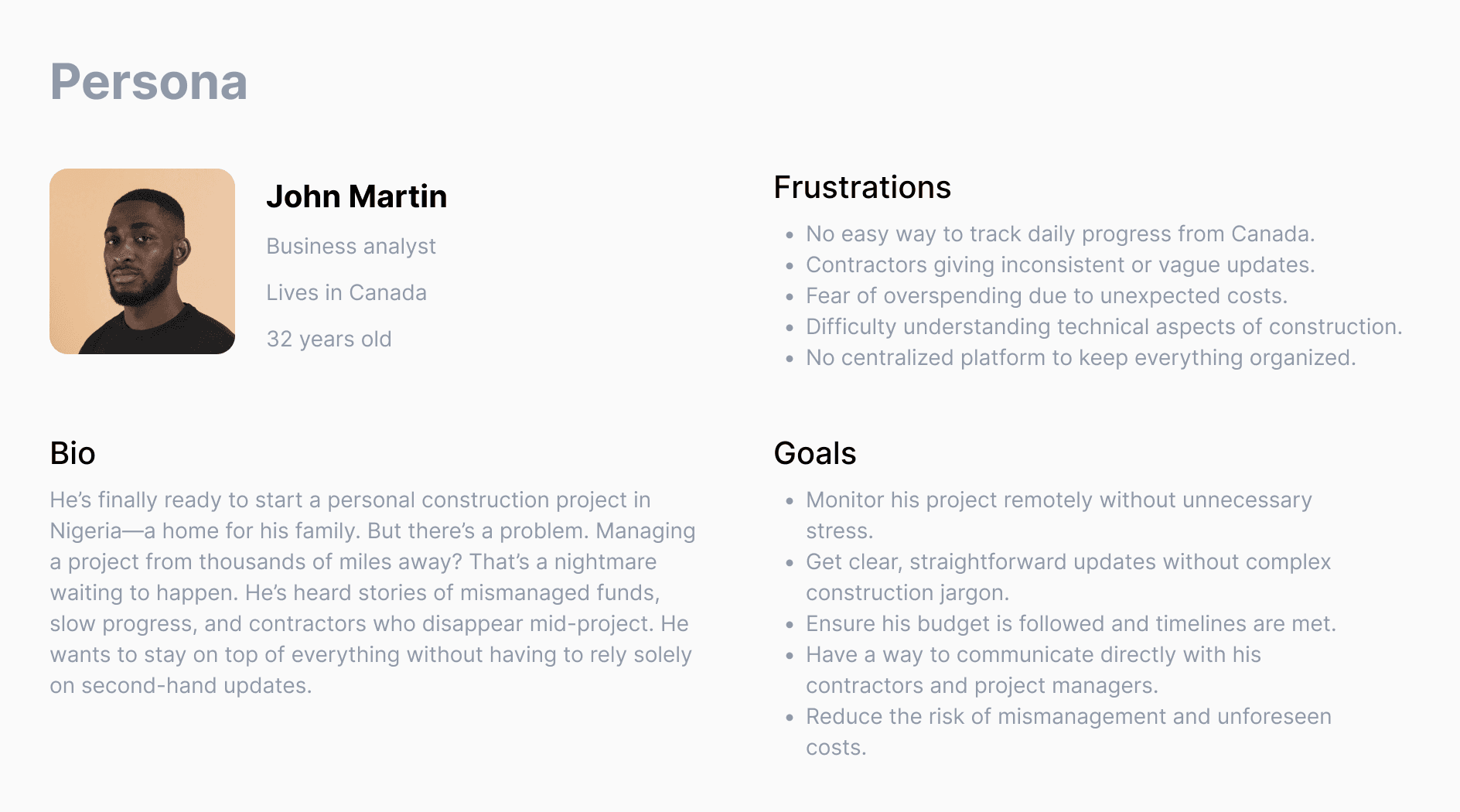
The entire Bnkle idea stemmed from research that identified diaspora investors as a key demographic in the construction sphere with unique needs. We first of all tried to understand what they considered as most important when embarking on a construction project. Take John for Example:
Breaking Down the Construction Process
The next step was studying the existing construction process. Working closely with contractors and project managers, we summed up a typical project’s lifecycle:
Client Briefing: The project owner shares the specifics of their build (bungalow, duplex, number of rooms etc.).
Planning & Documentation: Key details are recorded and structured for easy reference.
Execution & Progress Tracking: Monitor and track ongoing work.
With this foundation, we set out to translate the entire experience into a digital platform that project owners could use effortlessly.
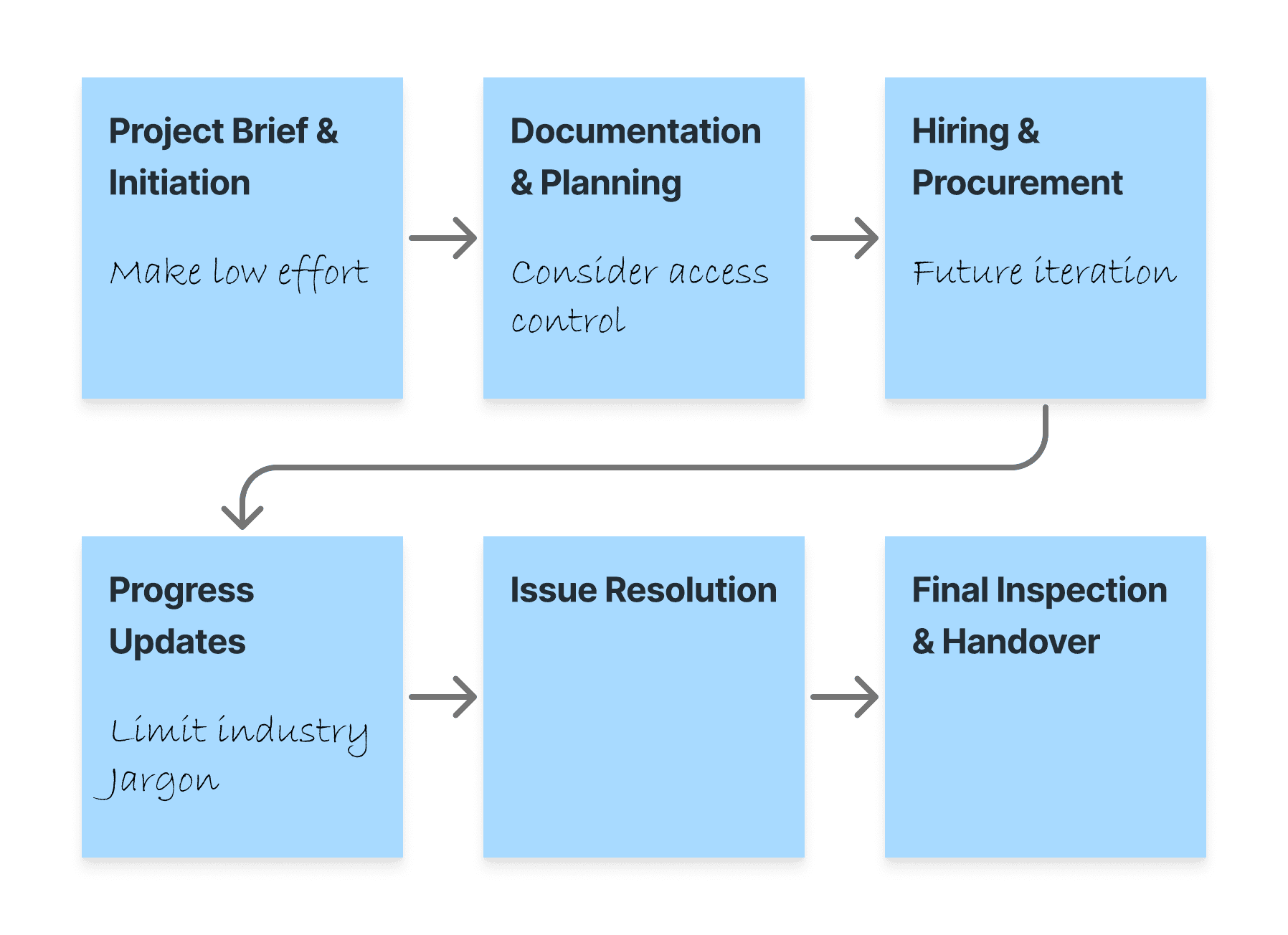
Core stages involved in construction projects
Creating Projects
We crafted a flow for users to create the briefs of their desired construction projects, defining details like what type of building it was, what spaces it would have, where it would be located and lots more. various design techniques were employed so that the process of creating a brief didn’t seem too daunting, techniques like ensuring that users weren’t focused on too many things at any given time and making sure that users didn’t have to use the keyboard much while filling these forms and could complete it with mostly clicks and drags of the mouse.

Creating project progressive form
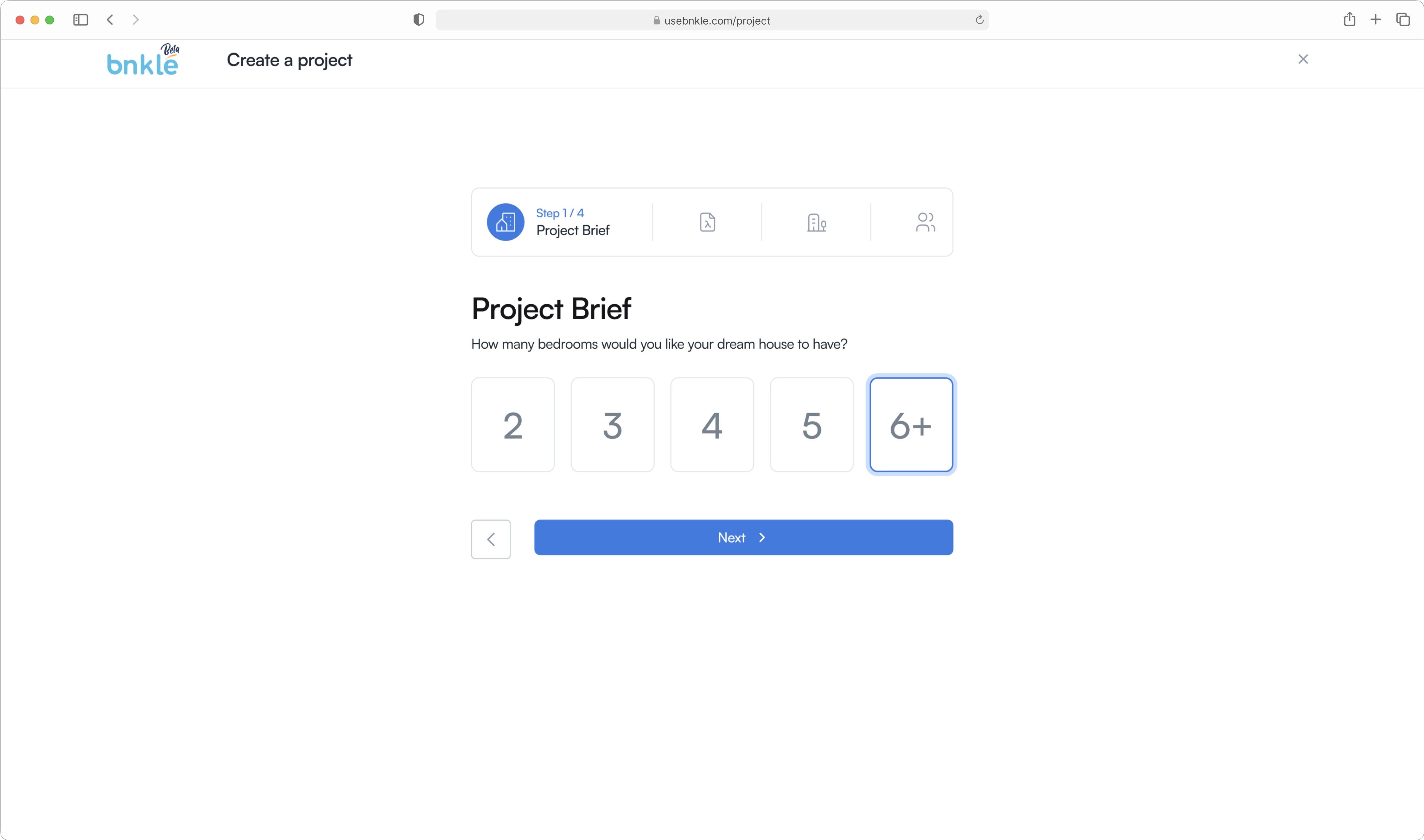
Creating project progressive form
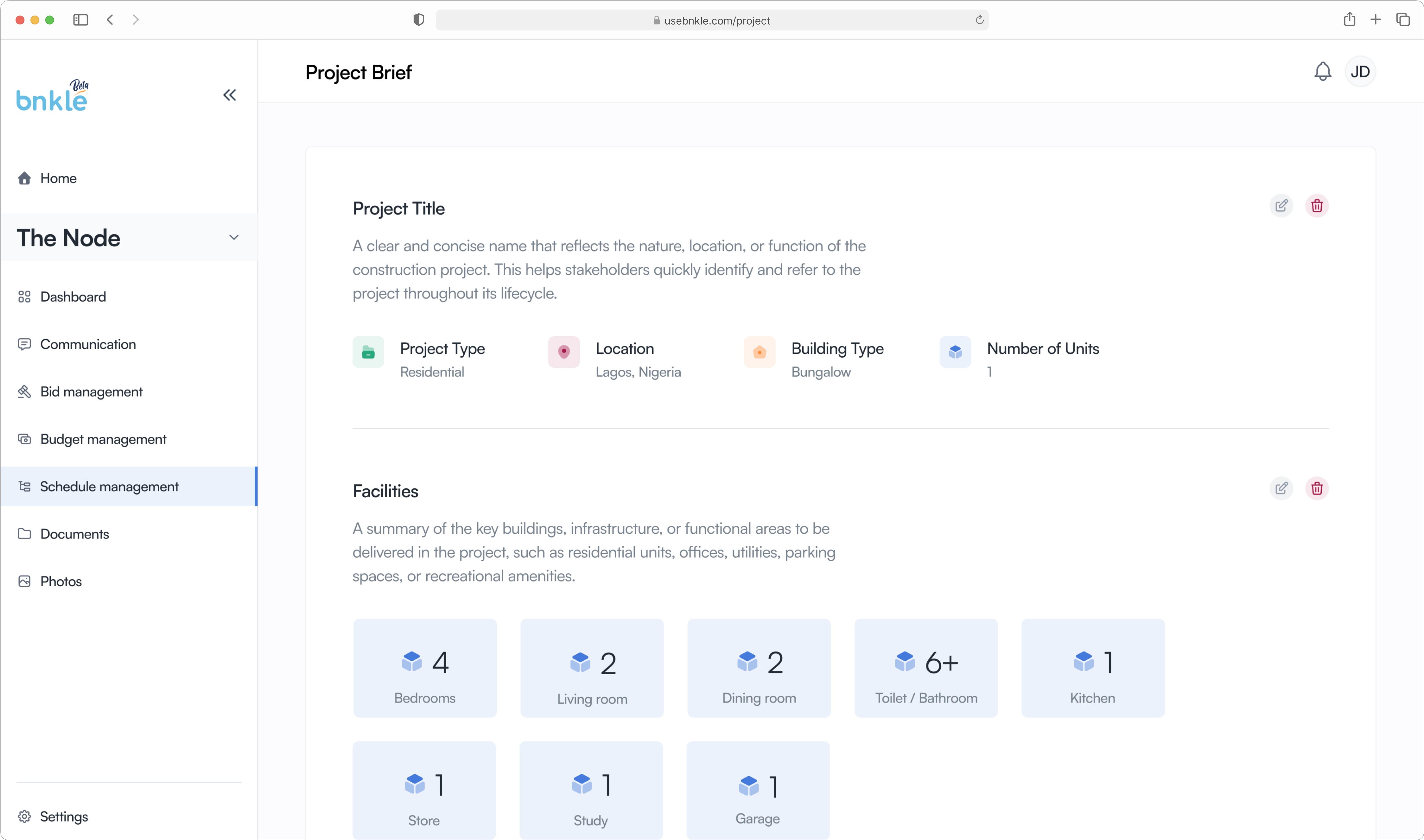
Project brief showing information of project
But even with all of this we noticed that some users still struggled with creating their briefs, so we introduced Prototypes, already created project briefs that users could adopt or alter based on their preference. This made the process a lot easier for users as they had the option not to start from scratch while creating a project.
Create project using prototypes
A Simpler Way
Designing for
the Busy & the Technical
Having been aware that our users prioritized getting concise information about their projects due to their being busy schedules or distance, we explored the use of cards that captured key details of the project so that users could get a summary of what was going on in a project at a glance and be able to interpret parameters such as:
What is ongoing?
What has been completed?
Is the project on schedule?

Task cards showing project health
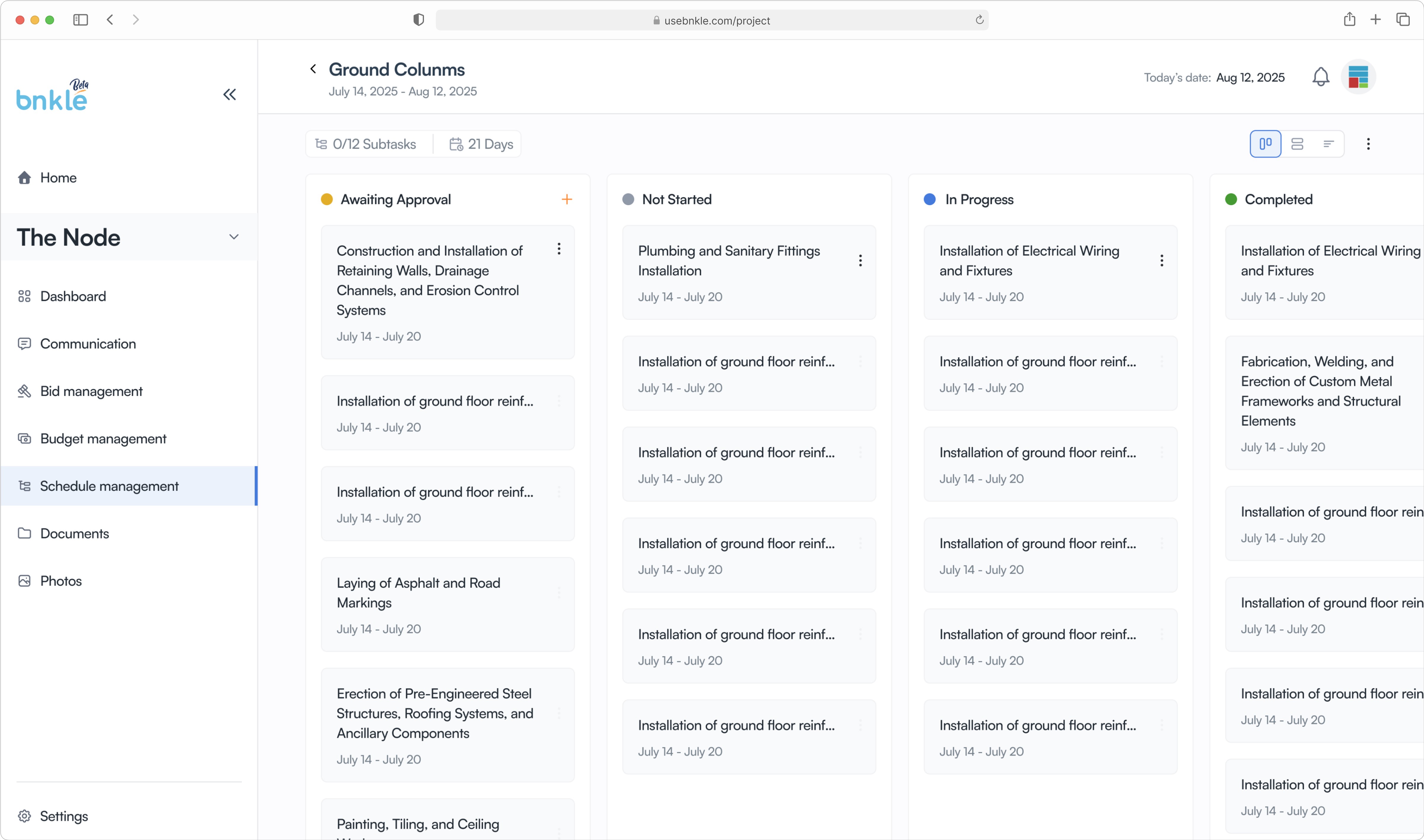
Subtask kanban view

Subtask activity log
A Game-Changing Shift
A Tale of Two Views
While the card view made project details concise, testing revealed a gap. Project managers needed more than snapshots—they wanted a holistic view to better allocate resources like manpower, time, and materials.
We realized that while both parties worked on the same project, their priorities differed. This led us to ask: “How might we give users a holistic project overview?”
Our research pointed to the Gantt chart—a timeline view widely used in construction management. We then mapped all the details from our card view into the Gantt chart, visually linking tasks, subtasks, and dependencies for a more comprehensive project schedule
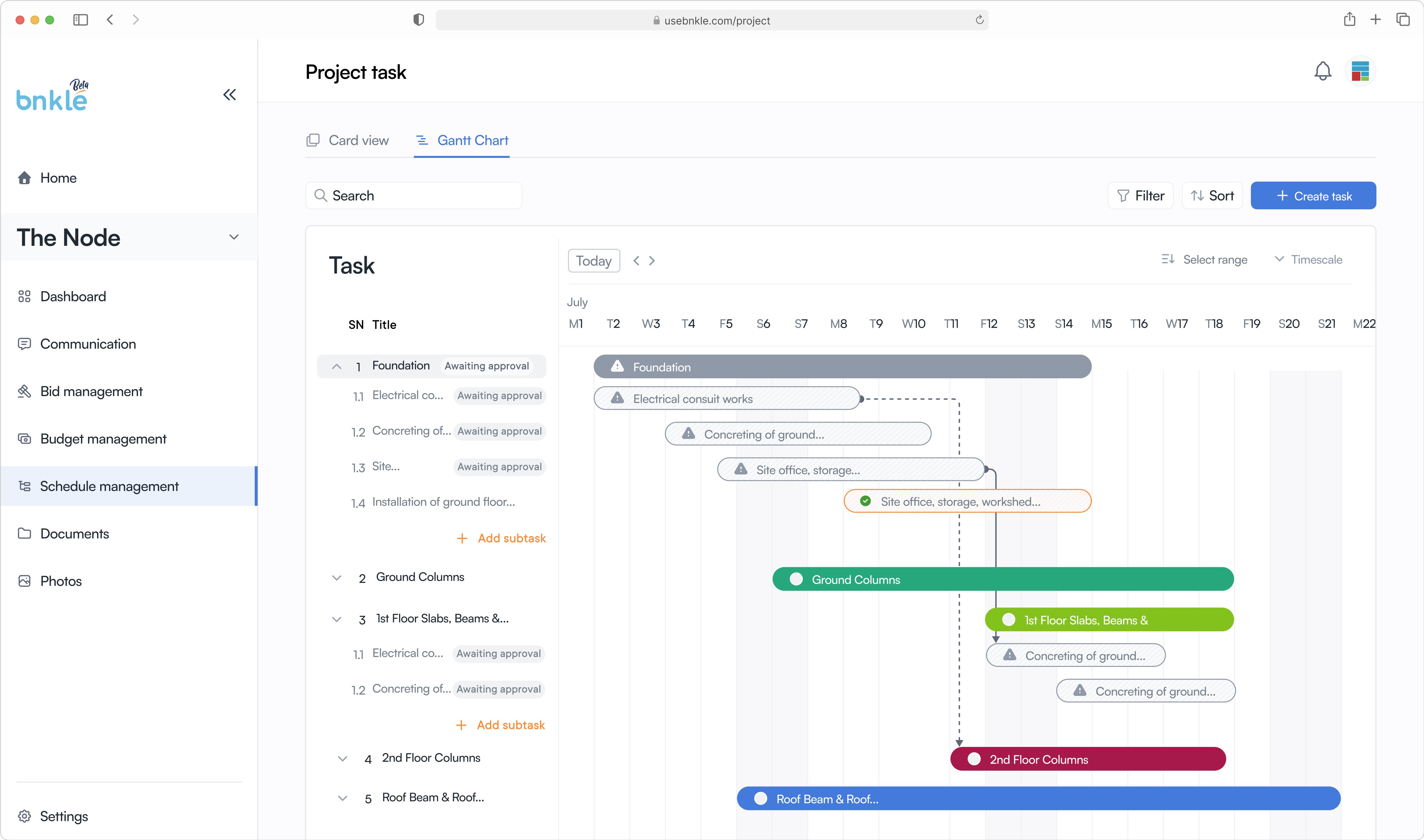
Gantt chart showing relationship between tasks
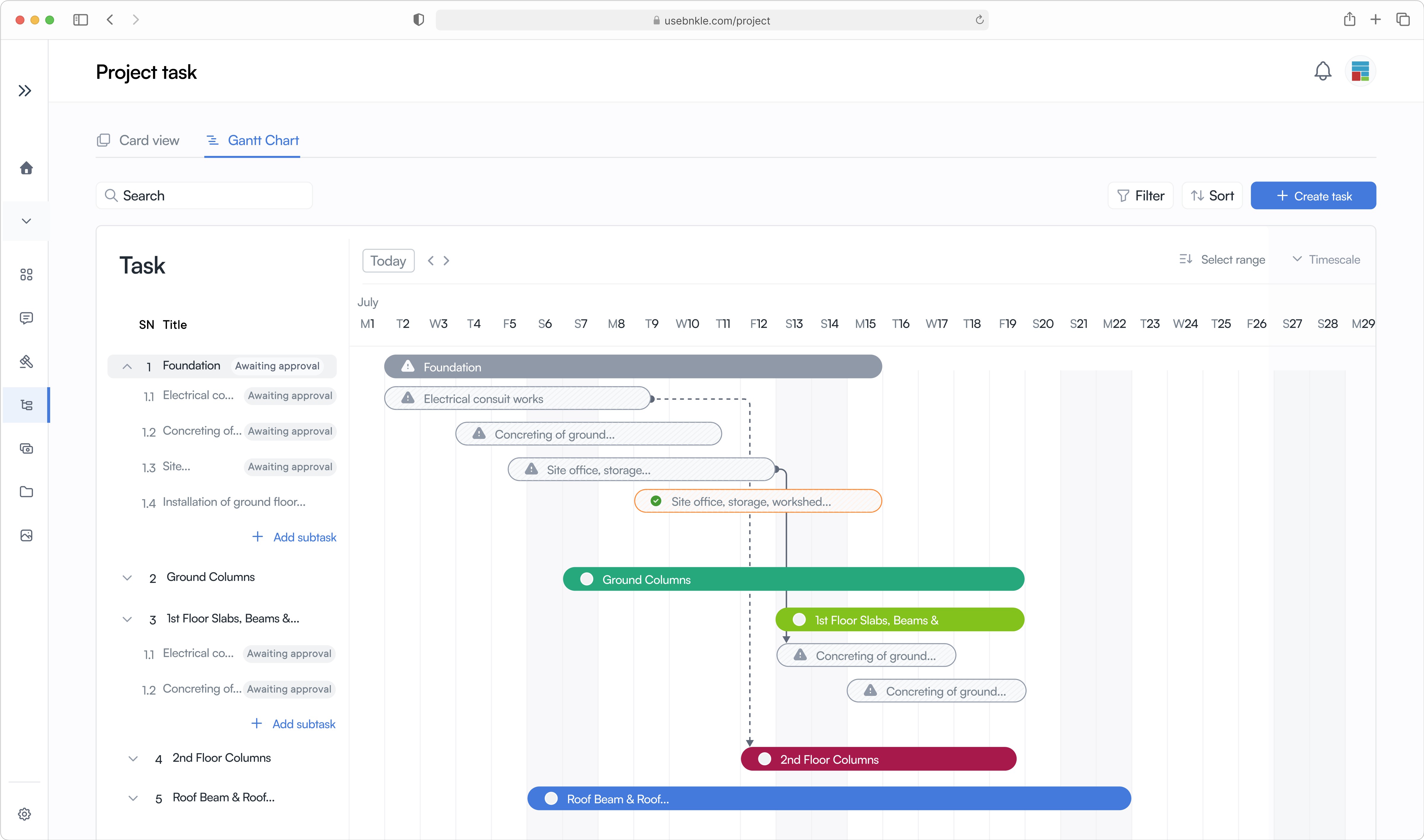
Gantt chart with side navigation collapsed for more real estate
This seemed to just do the trick of giving project managers that birdseye view and it was also noted that project managers who were familiar with Microsoft project and other project management tools greatly appreciated this direction.
Final Thoughts
Lessons Learned &
Looking Ahead
This case study reinforced an important UX principle: Different users have different needs, even within the same platform. By testing early and listening to feedback, we were able to pivot and create a solution that worked for everyone.
Bnkle is just the beginning. As the construction industry continues to evolve, so will our approach—ensuring that every project, no matter how complex, stays on track and transparent.